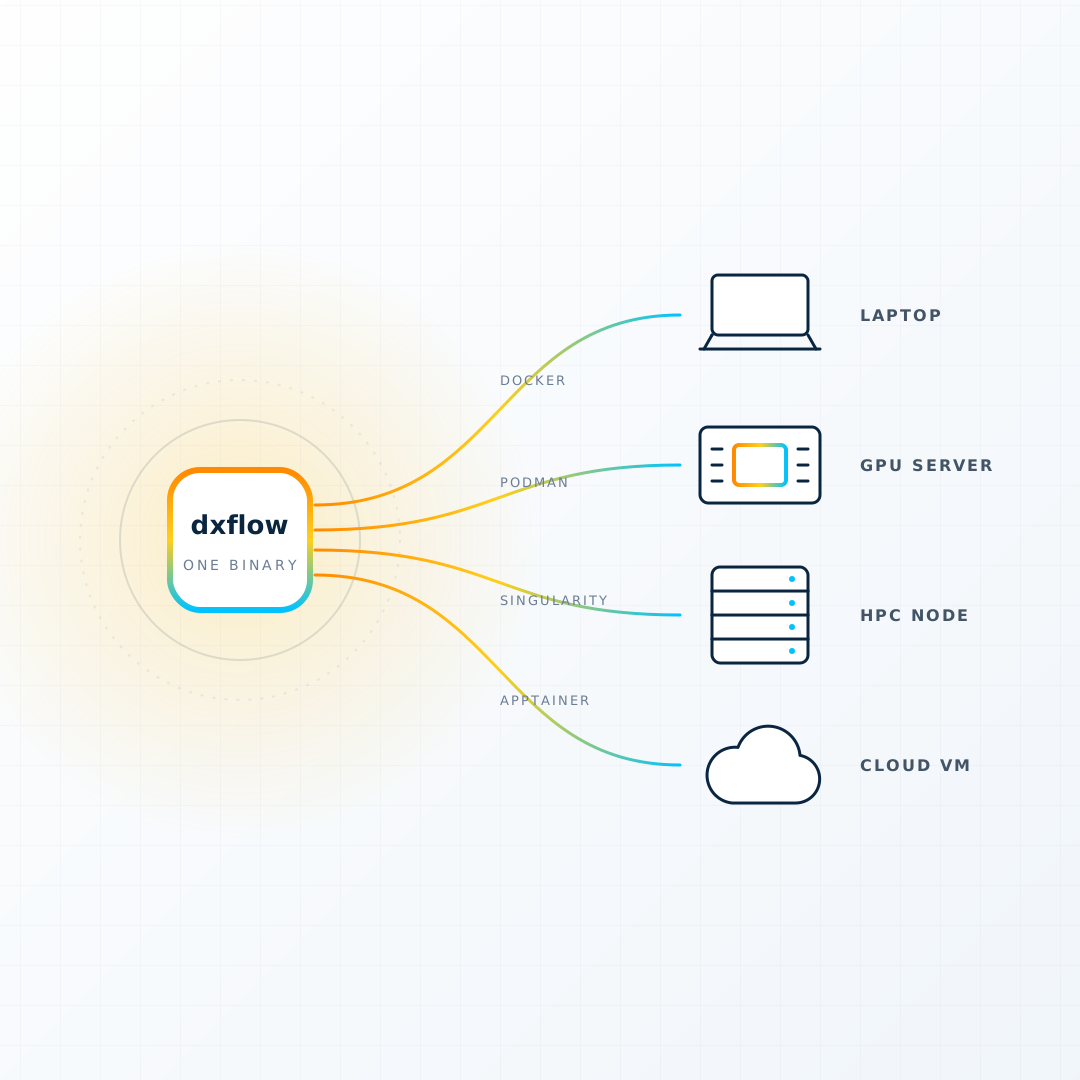
Most compute a technical team touches is not one kind of machine. There is a laptop, a workstation with a card in it, a cloud VM someone rented for a project, and a cluster with a scheduler and a queue. Each one has its own way of running a container, its own way of getting files on and off, its own way of opening a port, and its own idea of who you are.
dxflow's premise is that this should be one way. Its own tagline: a single binary that turns a machine into a node. Install it on any of those machines and they all answer the same CLI, the same REST API and the same web console. Its version at the time of writing is 2.4.0, and it is free to use.
Here is what that binary does.
Five things, one engine
The homepage counts it out: one binary, three interfaces, four runtimes, five capabilities. The capabilities are the useful part.
Workflow. A YAML file names one or more steps, each a container image with a command, environment, volumes, ports and resource limits. Steps run in order or in parallel. The engine creates the workflow, starts it, streams its logs, records its events and per-step resource use, and stops it. State survives an engine restart.
Artifact. Files on the machine, without SSH or SCP. Upload input, list results, download them, zip and unzip, share. Paths are relative to the engine's volume, and a step's mounted directory is the same folder you see under Artifacts, so what you upload is what the step reads.
Shell. A terminal into the host or into a running step, from the console or from the CLI, on any of the runtimes.
Runtime. Docker, Podman, Singularity and Apptainer, configured rather than guessed. The same definition can mix them: a Jupyter step on Docker beside a training step on Singularity with a GPU.
Agent. A built-in assistant that talks to a model of your choosing and operates the engine through its own tools: search the hub, write a workflow, start it, read its logs and stats, fix the override and start it again. Claude, Gemini, Amazon Bedrock and any OpenAI-compatible endpoint, including a local one.
Each of those is a permission in a signed licence, and the built-in licence grants all five. Nothing is held back from the free tier.
Why one binary
The engine is a Go program with no dependencies beyond the container runtime it drives. That decision shows up everywhere.
- Install is a download. A script for Linux and macOS, or a tarball for Linux, macOS and Windows on x86_64 or ARM64, extracted onto the PATH. There is nothing to compile and no runtime to bring.
- The console ships with the engine. Start it with
--consoleand the engine fetches the web UI matching its own version and serves it at the root. The console is released in lockstep with the engine, so the two never disagree. - It fits on an edge device. A Raspberry Pi runs the same binary as a GPU host. The edge agents story in the dxflow series is built on exactly that.
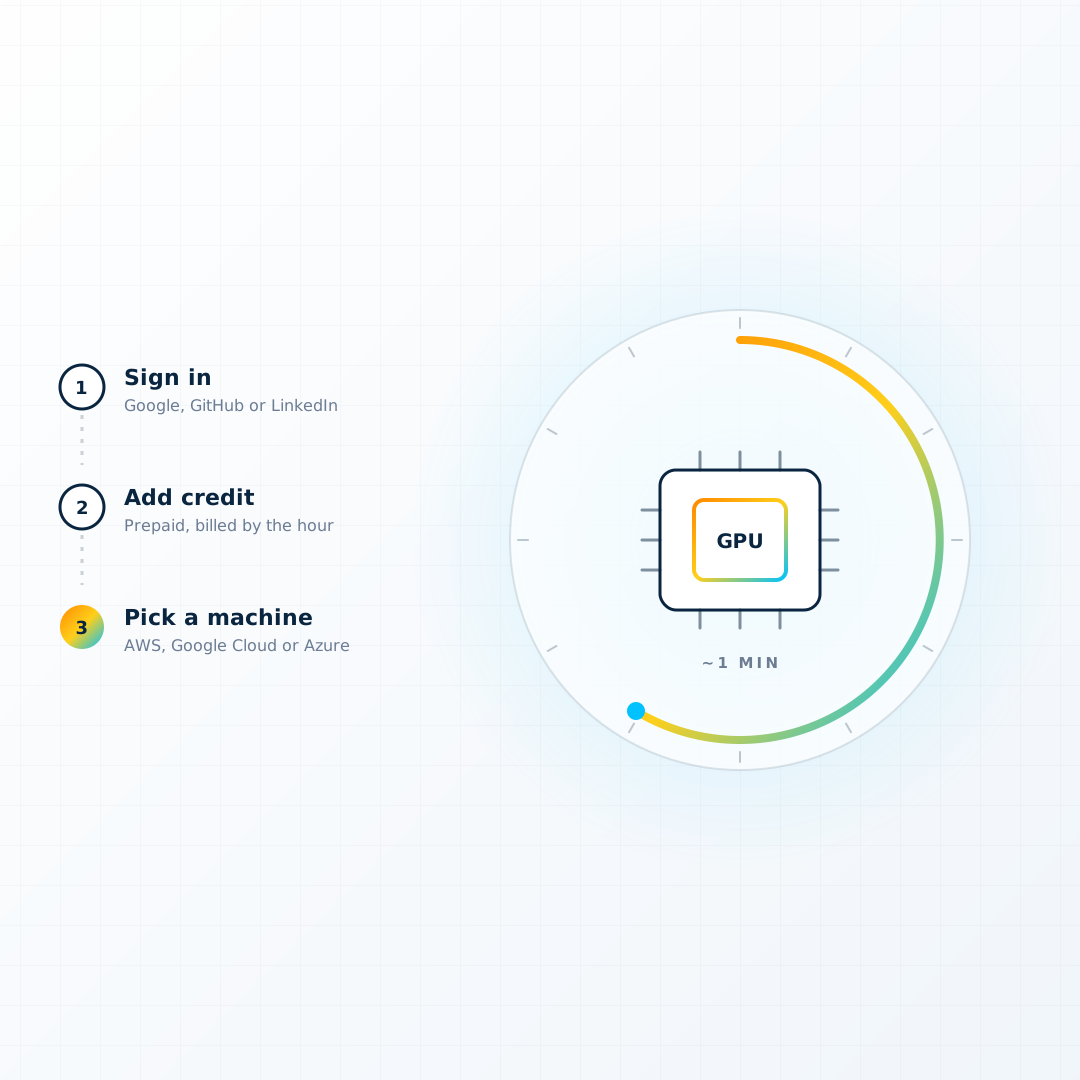
- A machine can arrive with it. DiPhyx installs it on first boot from the same release, which is why a rented GPU server opens in a console a minute after you ask for it.
A workflow, in full
The hub's own explanation of the format is short enough to quote as a working example:
name: app
tags:
  - example
steps:
  - name: app
    runtime: docker
    mode: sequential
    image: workflow-image:latest
    command:
      - app
      - --serve
    env:
      - PARAM1=value1
    volumes:
      - host: ./volume/data
        container: /data
      - host: ./volume/results
        container: /results
    ports:
      - host: "8080"
        container: "8080"
    resources:
      cpu: "4"
      memory: 8G
Per step: runtime picks one of the four. mode is sequential, where steps run one after another and each needs a command, or parallel. image is the container. command is raw arguments with no shell, so pipes and globs go inside an explicit sh -c. env, volumes and ports are what you expect. resources takes decimal cores, a memory string, and gpu: nvidia (or amd), which the engine turns into --gpus all for Docker and Podman and --nv or --rocm for Singularity and Apptainer. A link: field names the port to publish on an HTTPS address, which the next section explains.
A multi-step pipeline is just more entries in the list. A run that needs Jupyter open beside it makes the Jupyter step parallel and the compute steps sequential.
The file does not have to live on the machine. dxflow workflow create takes a source: a local path, an HTTP URL, or hub://<name>.
The hub
The hub is a public catalogue on GitHub of workflows already built as container images, read live by the engine at deploy time. Nineteen categories: genomics, molecular dynamics, structural biology, analytics, AI, simulation, visualization, development, desktops, browsers, graphics, messaging, infrastructure, office, media, engineering, geospatial and utilities. GROMACS, OpenFOAM, ParaView, Jupyter, RStudio, VS Code, Ollama, Open WebUI, Blender, QGIS, a plain Ubuntu desktop.
dxflow workflow hub search genomics
dxflow workflow hub inspect fastqc --yaml
dxflow workflow create --identity notebook hub://jupyter
dxflow workflow start notebook --override env.app.PASSWORD=my-strong-pass
dxflow workflow logs --live notebook
Two things about the hub matter more than the list. First, the definition stays on the hub, so every deploy picks up the current one; take it local with hub inspect --yaml when you want to edit it. Second, the settings are the definition. Overrides on the start line change a port, a volume, an environment variable or a resource for that start, without touching the file. The hub entries are written to be run that way, with the password, the model, the GPU and the memory all a flag away.
Publishing a step: links
A running Jupyter on a cloud VM is only useful if you can open it, and opening it usually means a security group, a reverse proxy and a certificate. dxflow folds all three into the engine.
Log the engine in once and activate its licence:
dxflow login
dxflow license activate
Activation gives the engine a name under link.dxflow.ai with a certificate already issued, plus a few sub-labels under that name. Then any workflow whose step names a port in link: can be started with --link, and that step claims a sub-label and comes back on an HTTPS address. The engine serves it on its own listener, choosing the certificate during the TLS handshake by server name, so the root name reaches the engine's API and console and each sub-label reaches one step. Publishing moves the container's port to loopback, so a published step answers only through its link.
Claiming is local, so a workflow starts at the same speed with the platform unreachable. The platform records the address it observed the engine from, which is what makes it work from behind NAT. Certificates and licence run out together and a re-activation renews them.
Who gets in
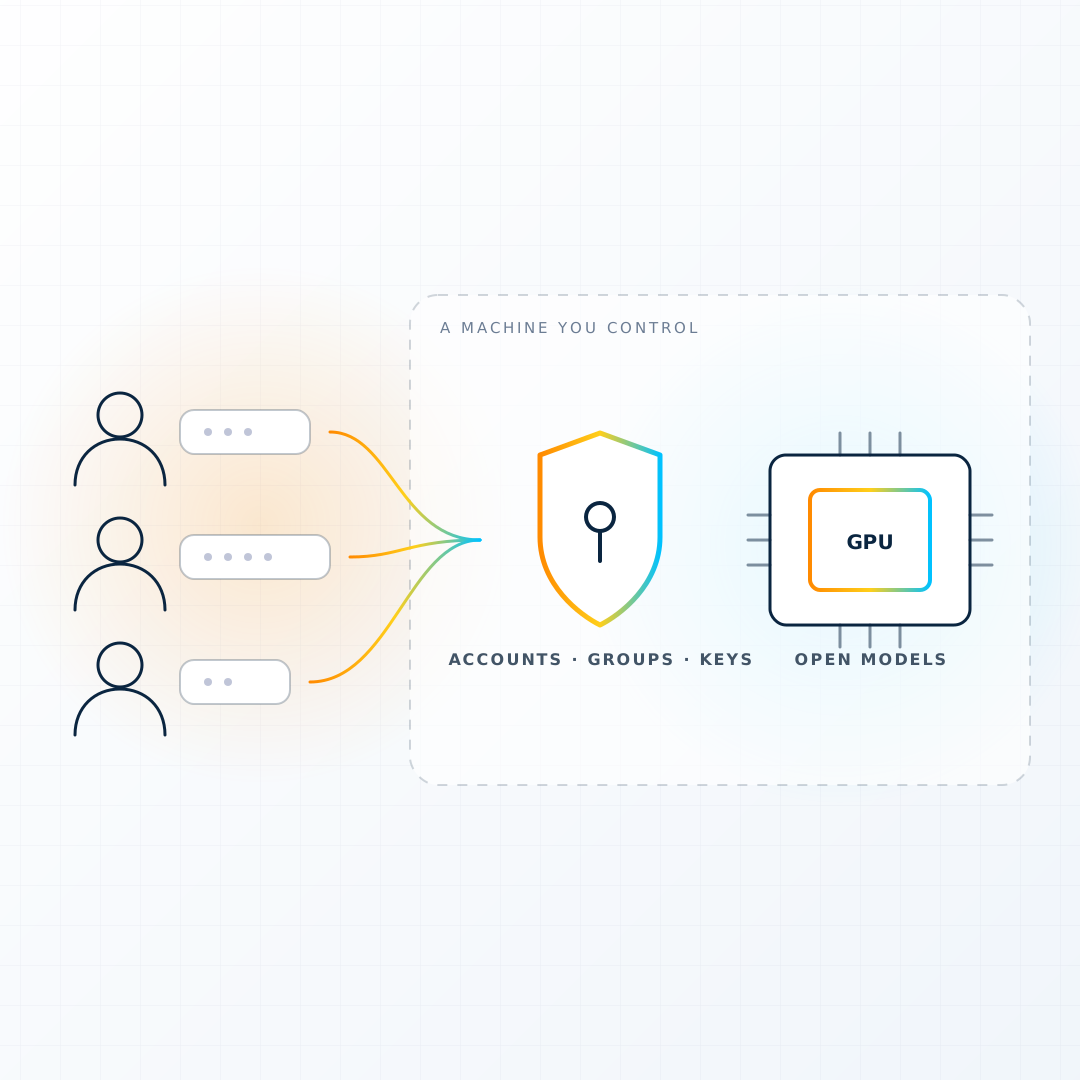
Local access over the Unix socket is trusted by file permissions, the same as Docker's own socket. Anything over TCP authenticates.
The engine generates a master RSA key pair on first boot and registers its public half. The console's sign-in dialog takes the private key file and signs the server's challenge in the browser, so the key never leaves the device. For a quicker way in, dxflow engine pair prints a single-use code for the console to claim; nothing is written to disk, and the session carries only the permissions the command granted. More keys are registered per person with their own permission set, and a JWT can be minted directly for a script.
Permissions are the same five words as the capabilities, so a key that may run workflows and read artifacts but not open a shell is one line in a file.
HPC, honestly
Singularity and Apptainer are first-class runtimes, with the GPU flag mapped and image pulls prefixed with docker:// as those tools expect. There are differences the engine does not paper over: instances share the host's process and network namespace, so ports are not mapped, and a command is always required. Resource limits on those runtimes need cgroups v2 with systemd user delegation, and without it the runtime falls back to a mode that applies no limits at all, which the engine documents rather than hides.
dxflow runs on the machine it is installed on. It does not submit to Slurm. On a cluster it belongs on a node you are allowed to keep a service on, or on the login node for the interactive tools, with the scheduler still handling the batch queue. That is a narrower claim than "HPC orchestration" and it is the accurate one.
The agent
The part that is easy to dismiss as a checkbox and is not. The engine's agent has a fixed tool set that maps one to one onto what the CLI does: list, search, create, status, inspect, start, stop, logs, stats, files, read, upload and override. It is sent one system prompt and every tool on every turn, with the engine's own command tree rendered into the prompt so the commands it quotes are real. It works within the permissions of whoever is talking to it.
Point it at a hosted model with an API key, or at a model served by an Ollama workflow on the same machine, and the conversation "find me a FastQC workflow, run it over the files I just uploaded, and tell me if anything fails" is the workflow. DiPhyx can pre-wire this at create time, billed from the same balance by the token.
Where it is going
The public roadmap has three stages. Today: unified compute operations, which is everything above. Next: AI-assisted operations, where the agent prepares environments, summarises logs, spots failures and suggests the next step. Long term: permissioned AI operators, agents assigned to servers or workflows with defined instructions and defined limits across a fleet.
The stated principle behind the last stage is that AI should be useful, transparent and permissioned, operating within clear boundaries and human control. Given that the whole engine is built on a permission model that is five words long, it is a believable plan.
Start
curl -fsSL https://dxflow.ai/install.sh | sudo bash
sudo dxflow boot up --console
dxflow engine pair
Open the console, paste the code, and deploy something from the hub. If the machine has a card, make it Ollama. If it has a team behind it, make it Open UI. If you do not have a machine, DiPhyx will lend you one by the hour with the engine already on it.